- Welcome to AntiPolygraph.org Message Board.

A forum for free and open discussion of polygraph-related topics
Posted by George W. Maschke
- Oct 03, 2013, 04:57 AMBitmessage is a decentralized, encrypted, peer-to-peer protocol that allows users to anonymously send messages to one or many users. It was created by Jonathan Warren around November 2012, and there are now stable Bitmessage client applications for the Windows and Macintosh operating systems.
The way to post to many users is through a channel or "chan." I have just created a polygraph chan for discussion of polygraph issues. To subscribe, in the Bitmessage client software choose File -> Join / Create chan. You'll see the following prompt box:
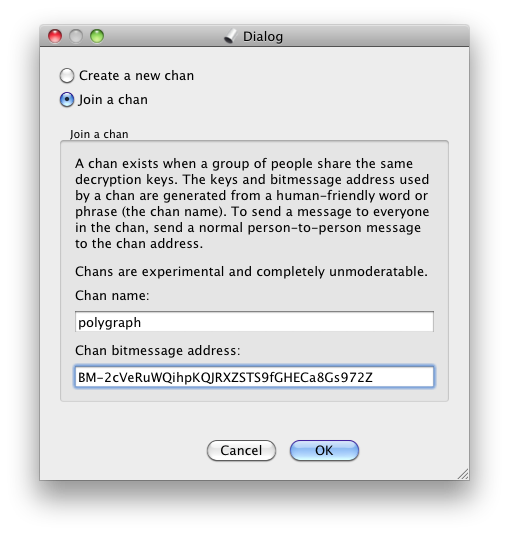
In the "Chan name:" field enter "polygraph," and in the "Chan bitmessage address:" field enter:
BM-2cVeRuWQihpKQJRXZSTS9fGHECa8Gs972Z
When posting to the polygraph channel (or to any Bitmessage channel, actually), it is preferable to put the channel's name in the "From:" field. This not only disguises any personal Bitmessage address you may have created, but also ensures that replies to your posts will be sent to the channel, rather than to your personal address.
The following is a sample post (the first one to the polygraph chan):
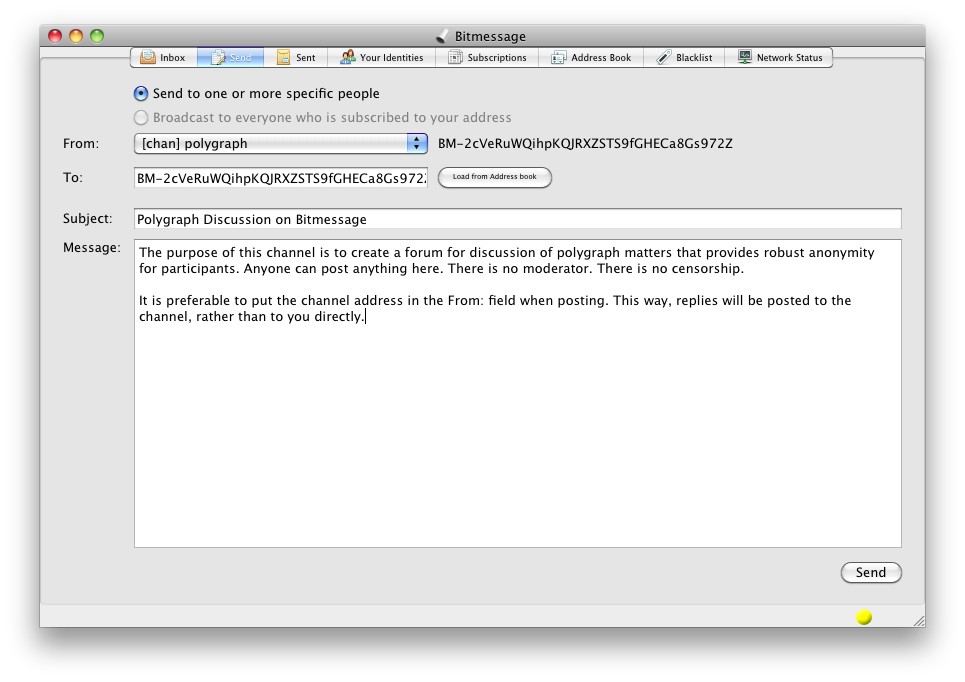
Note that while I created the polygraph chan, I don't in any way own or control it. I'm not the moderator. I can't delete posts. I can't ban users from posting. I can't see the IP addresses of posters. Nor can I see the date and time at which any post was created. (You can only see the date and time that you received a post.)
Privacy tips for posting:
The way to post to many users is through a channel or "chan." I have just created a polygraph chan for discussion of polygraph issues. To subscribe, in the Bitmessage client software choose File -> Join / Create chan. You'll see the following prompt box:
In the "Chan name:" field enter "polygraph," and in the "Chan bitmessage address:" field enter:
BM-2cVeRuWQihpKQJRXZSTS9fGHECa8Gs972Z
When posting to the polygraph channel (or to any Bitmessage channel, actually), it is preferable to put the channel's name in the "From:" field. This not only disguises any personal Bitmessage address you may have created, but also ensures that replies to your posts will be sent to the channel, rather than to your personal address.
The following is a sample post (the first one to the polygraph chan):
Note that while I created the polygraph chan, I don't in any way own or control it. I'm not the moderator. I can't delete posts. I can't ban users from posting. I can't see the IP addresses of posters. Nor can I see the date and time at which any post was created. (You can only see the date and time that you received a post.)
Privacy tips for posting:
- Don't post information that could personally identify you, such as the date of your polygraph examination, or unique aspects of your background;
- Don't post from a personal Bitmessage address that is publicly posted on the Internet. For example, my personal Bitmessage address (BM-GtK3fjwGHLLcdRRsYU9eHRdPGxGabbuL) is listed in my signature block on all my posts on this forum, so I could not use it to post anonymously to Bitmessage;
- Exercise caution before visiting any hyperlink posted on Bitmessage. It would be safest to do so via the Tor Browser;
- You can further protect your privacy by connecting to Bitmessage through the Tor network.